Reports
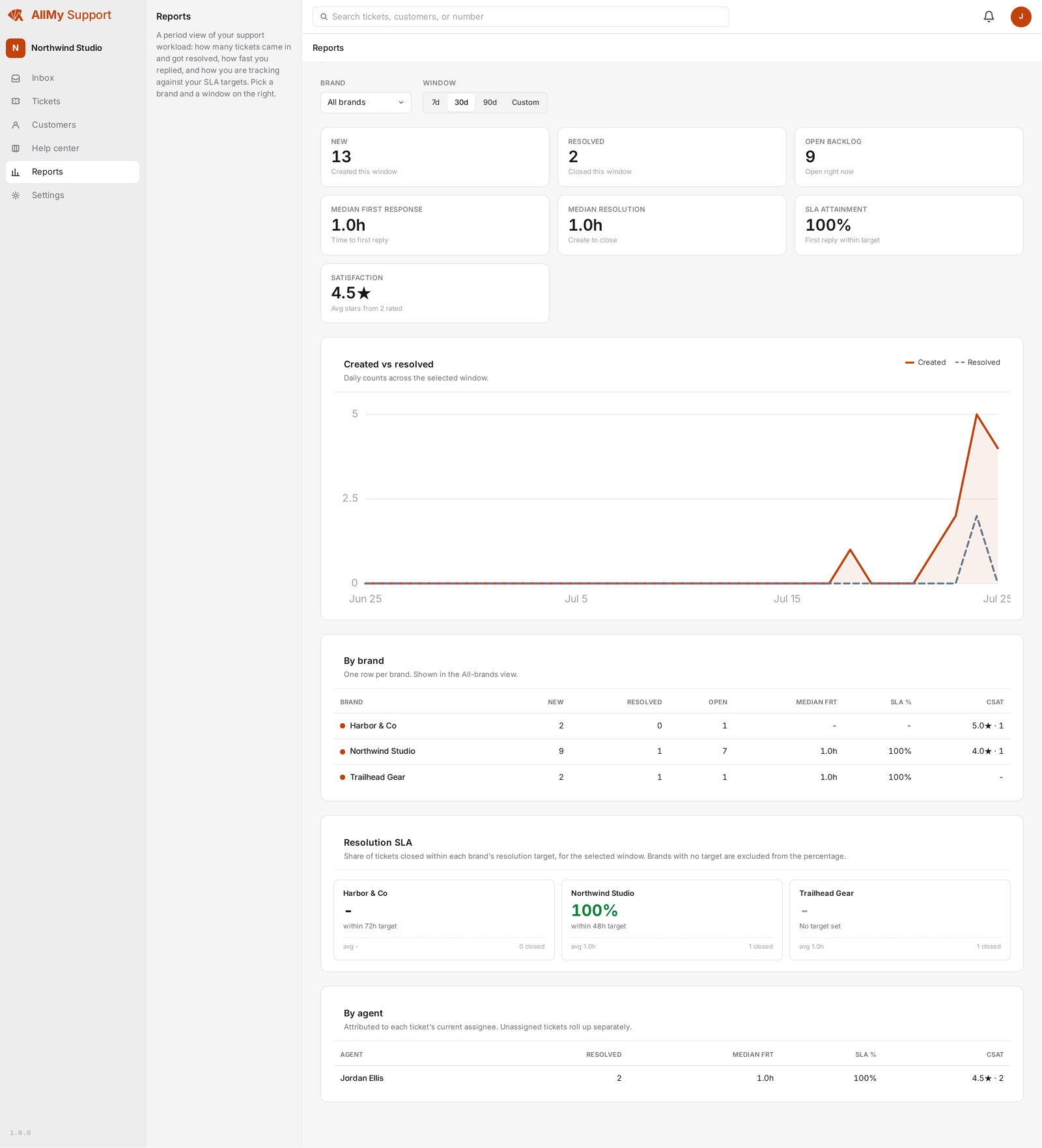
Reports give you a plain read on how the team is doing: how many tickets came in, how fast they got resolved, and how happy customers were with the outcome.
What's in a report
Pick a time period and see ticket counts broken down per brand and per agent, so you can spot which brand is busiest or which agent is carrying the most volume.
Resolution and satisfaction
Alongside volume, the report shows how many tickets were resolved within target and the average satisfaction rating for the period, so you can see quality next to speed.
Business-days SLA
SLA clocks run on business days: they pause over weekends and public holidays instead of counting against you while the team is out. Any ticket that's fallen behind its target surfaces in the inbox, not just in the report.
Reports are built to answer the everyday questions: volume, resolution, and satisfaction, per brand and per agent, for the period you choose.