Automations
Automations handle the routine parts of ticket handling for you: acknowledging a new ticket, assigning it, and following up when nobody has. Each automation is a toggle on a single brand. Every one is off by default, so turn on only what fits how your team works.
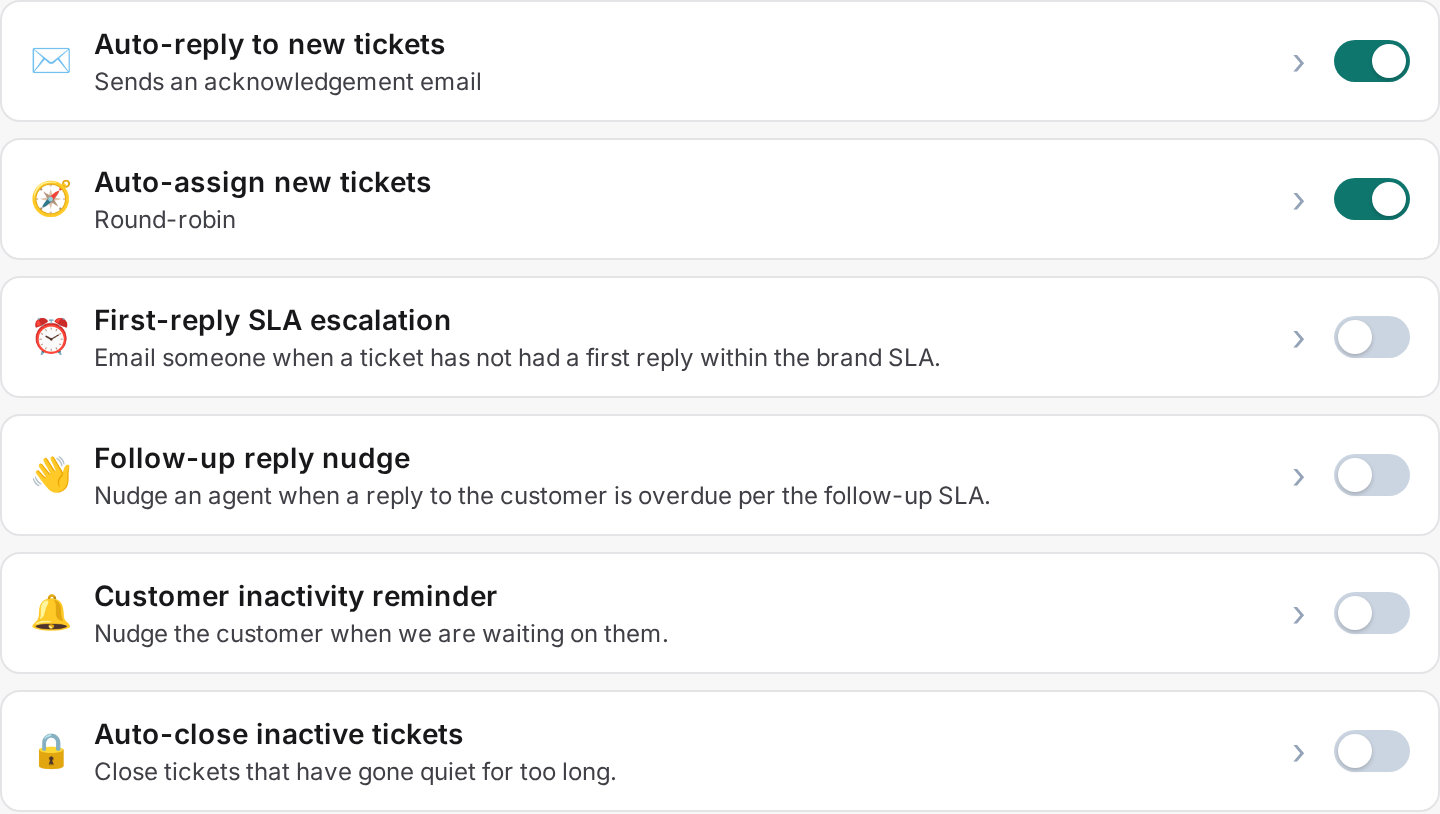
The seven recipes
Every brand has the same seven automations available. You configure and toggle each one separately per brand, so a brand can run a different mix than its siblings.
1. Auto-reply
Sends an acknowledgement email the moment a new ticket comes in, once per ticket. It doesn't count as an agent reply, so the ticket stays in the queue and the first-reply SLA clock keeps running until a real agent responds.
2. Auto-assign
Routes new, unassigned tickets to an agent automatically. Choose a mode: a specific agent, round-robin (the default), random, or sticky, which sends the ticket back to whoever last handled that customer.
3. SLA escalation
Fires when a ticket breaches its first-reply SLA with no agent reply yet. By default it notifies your admins, so someone catches tickets that are falling through the cracks.
4. Stale-ticket nudge
Fires when a ticket breaches its next-reply SLA while the customer waits on a follow-up. By default it notifies the assignee, so a ticket sitting in someone's queue doesn't go quiet.
5. Customer inactivity check-in
Sends a check-in message on pending tickets once the customer has gone quiet for a set number of days, 3 by default.
6. Satisfaction survey
Emails a short star-rating survey when a ticket closes. Ratings and comments feed the CSAT report.
7. Auto-close inactive
Closes a ticket after a set number of days with no activity, 7 by default, with an optional closing email to let the customer know.

SLA targets
SLA escalation and the stale-ticket nudge both read from the same two targets, set per brand on Brand → General: first reply and next reply. Both default to 48 hours. These targets also drive what the inbox marks as overdue, so setting them once covers both the inbox view and the two SLA automations.
To turn on auto-assign round-robin
- Go to Brand → Automations.
- Toggle Auto-assign on.
- Choose round-robin.
- Save.
There's no free-form rule builder yet. These seven recipes cover the common cases; each one is configured through its own settings, not a custom trigger you build from scratch.