Features
What AllMy Support does for you
An email-first, multi-brand helpdesk for small teams. Run support for every brand from one inbox.
Unified inbox
All your brands in one inbox. Every ticket shows a brand chip, so you know which identity to reply as without switching accounts or tabs.
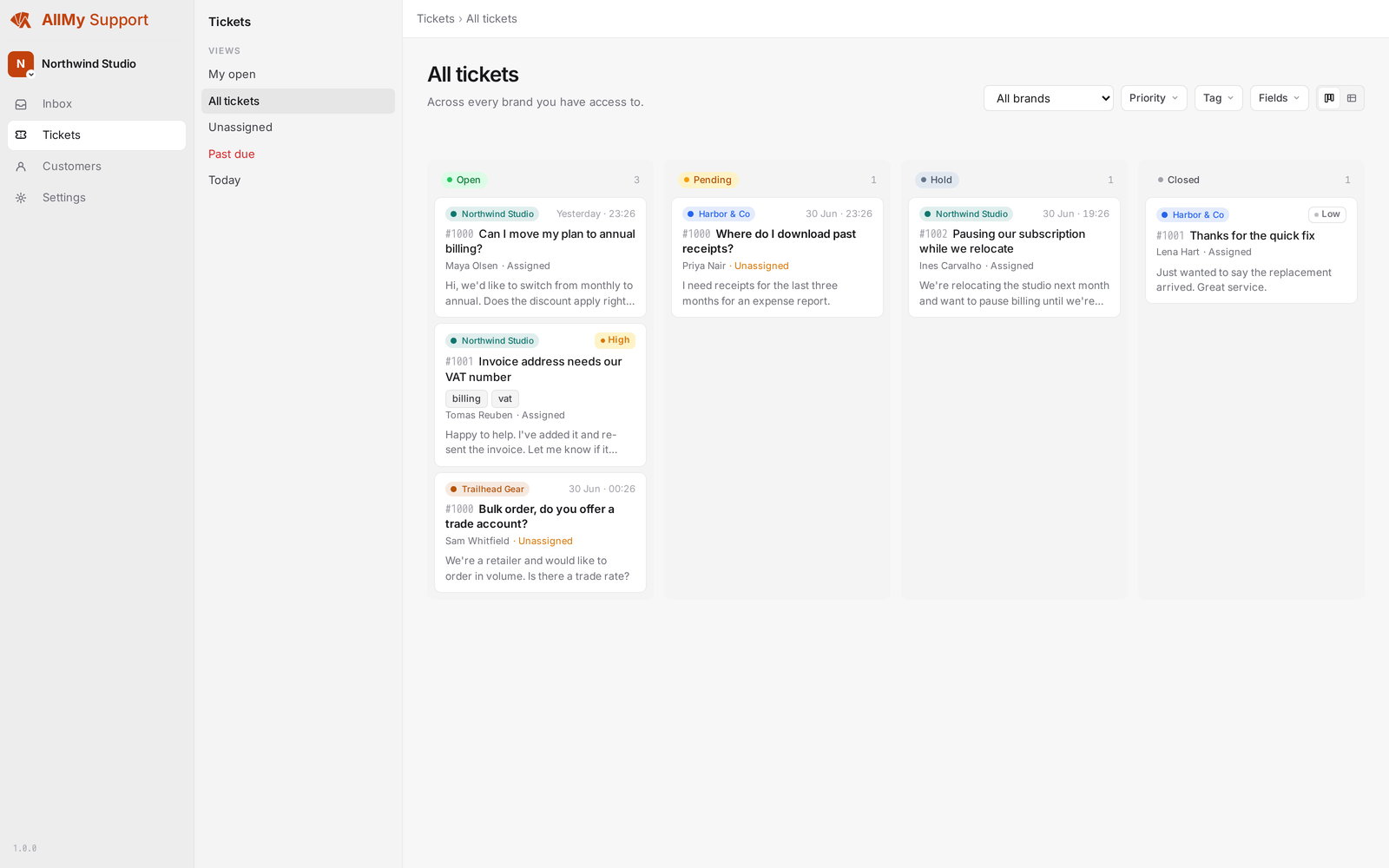
Reply in-app or by email
Compose in the inbox, or reply from your own email client. Either way the response goes out from the right brand identity and the thread stays intact.
Status filters
Filter to open, pending, closed, unassigned, or new. A customer reply auto-flips a ticket back to open.
Customer filter
Search by customer email to see every ticket from that contact across all your brands.
Ticket assignment
Assign any ticket to an agent. Unassigned tickets stay visible in the shared queue.
Hold with a chase date
Set a ticket to hold when you are waiting on something external. The inbox surfaces it again on the date you set.
Per-brand ticket numbers
Each brand has its own ticket number sequence starting at #1000.
Multi-brand, one account
Add as many brands as you want. Each is fully independent: its own support address, sender identity, signatures, and ticket numbering.
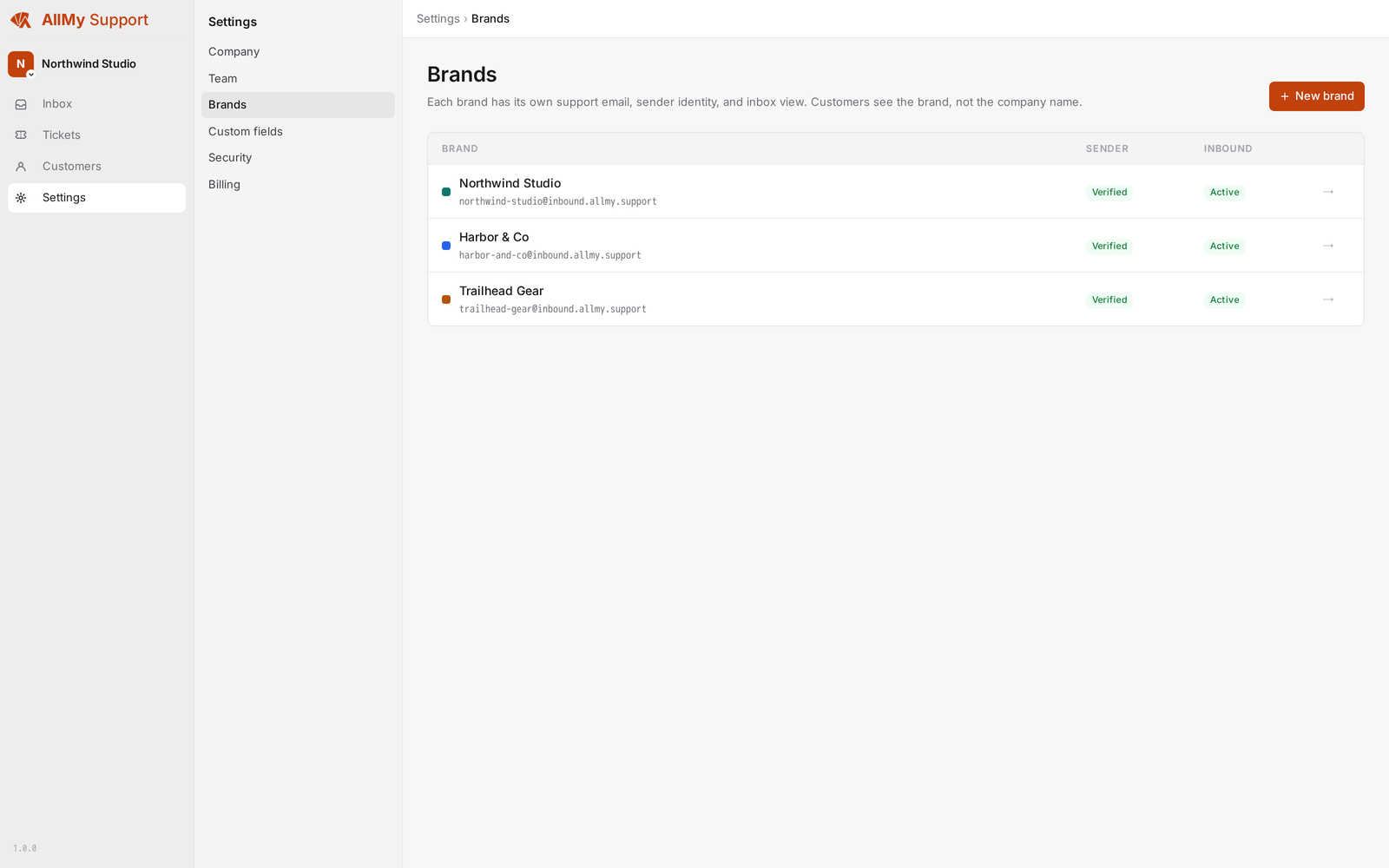
Per-brand support address
Each brand gets its own inbound address. Forward [email protected] to us, or use the default until you are ready to switch.
Per-brand sender identity
Replies go out from the brand's verified address, with DKIM, SPF, and DMARC.
Per-brand and per-agent signatures
Set a default signature per brand. Each agent can also set their own, which overrides the brand default on their replies.
Brand chip on every ticket
Every inbox row shows which brand a ticket belongs to. No context-switching to tell brands apart.
Separate numbering per brand
Each brand counts from #1000 independently.
No account switching
All brands live under one login. Add a brand in settings and it appears in the inbox immediately.
Email in and out
Inbound email creates a ticket. Replies go out from your own SMTP provider. Threading, attachments, and quote-stripping are handled automatically.
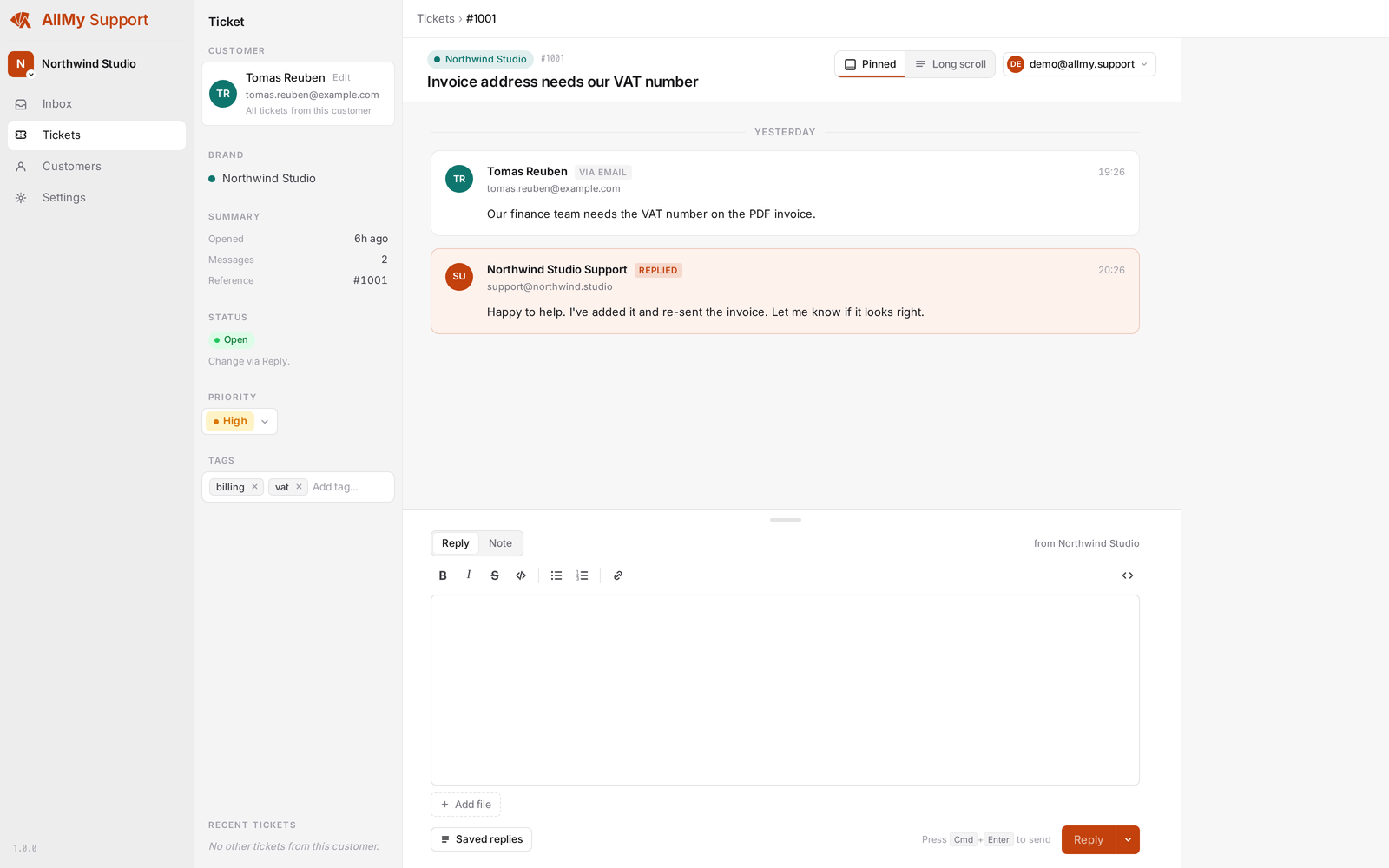
Thread-safe replies
Threading uses Message-ID and References headers, so customer replies always land on the right ticket.
Reply by email
Reply to the agent notification from any email client. We parse it, verify the sender is an agent, strip quoted text, and post it.
Attachments
Inbound attachments are stored and shown in the ticket. Agents can attach files to outbound replies.
Quote-stripping
Quoted history is stripped from inbound mail automatically.
HTML and plain-text
Outbound replies include both, so they render correctly in any email client.
Auto-reopen on reply
A customer reply on a pending, hold, or closed ticket flips it back to open.
Website widget
Put a contact form on your own website. Once the sender confirms their address, the submission becomes a ticket in that brand's inbox, and you answer by email the same way you answer everything else. It is a form, not live chat.
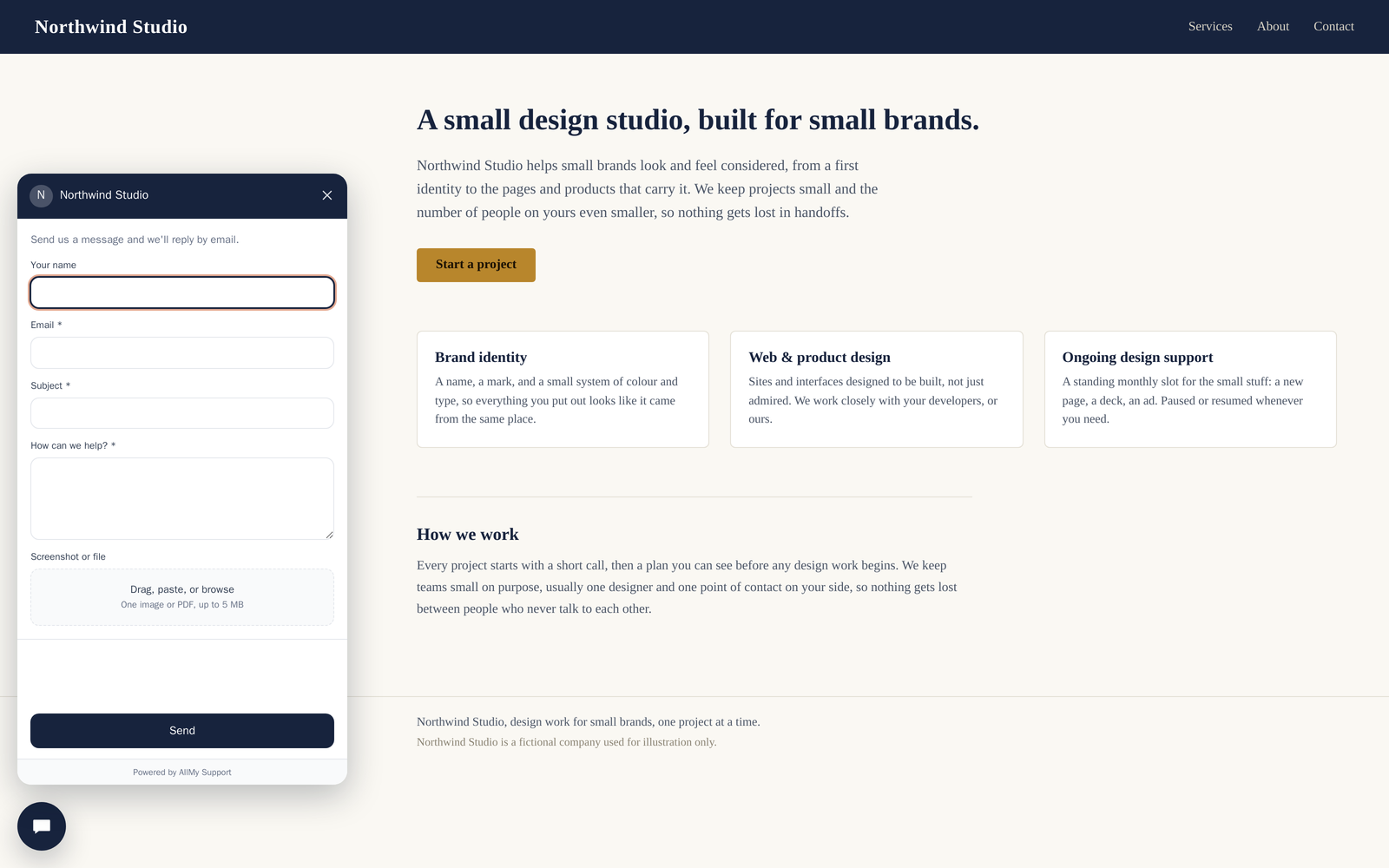
One script tag on your site
Paste one line carrying your brand's widget key. Each brand gets its own key and its own inbox.
Ask for what you need
Name and message can be off, optional, or required. Email and subject are always asked, so every ticket arrives with a reply address and a title.
Screenshots and files
Let customers attach one file up to 5 MB, image or PDF, by picking it, pasting it, or dropping it on the form. On a phone the picker offers the photo library, which is where screenshots already are. Off until you turn it on.
Looks like your site
Use the brand's colour or set one for a single embed. Put the button in any corner, nudge it by pixels, or use no button at all and open the form from your own page.
Prefill for signed-in visitors
Pass the visitor's email and name from your page and the form arrives filled in, still editable. Extra values can fill your own ticket fields and show to the agent as context.
Confirmed before it becomes a ticket
The sender clicks a link in their own mail first. Unconfirmed submissions never reach your inbox: no ticket number, no SLA clock, no automation.
Spam filtering
Junk mail is caught before it clutters your queue. A built-in filter learns what spam looks like in your workspace, on top of sender blocking and keyword rules.
Learned spam filter
Mail from first-time senders is scored automatically. Likely spam is set aside instead of becoming a ticket.
Trained by your team
Marking a message as spam teaches the filter, and so does recovering one it got wrong. It gets sharper the more you use it.
Working from day one
The filter ships pre-trained, so a new workspace is protected before anyone marks a single message.
Known senders skip it
Mail from your existing contacts is never filtered. Only first-time senders are scored.
Nothing is deleted
Suspected spam lands in the Suspended view, labelled and recoverable. One click turns a false positive back into a ticket.
Blocklist and keyword rules
Block a sender or their whole domain, and set workspace keyword rules that quarantine matching mail for review.
Bring your own SMTP
AllMy Support sends through your own SMTP account, so your sending reputation stays yours.
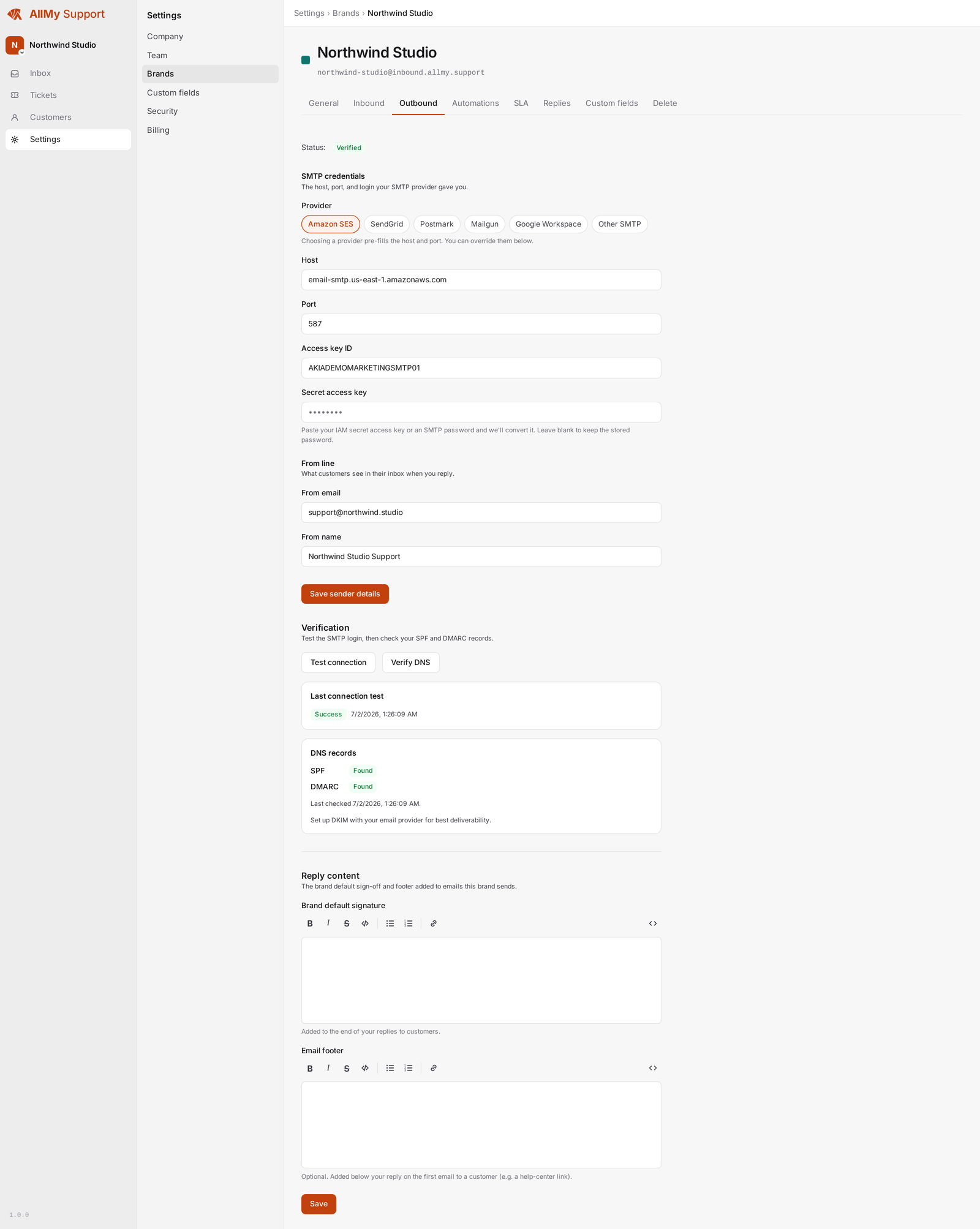
AWS SES
Enter your SES credentials and region. Sending activity stays visible in your SES console.
SendGrid
Connect with an API key. Activity appears in your SendGrid dashboard as usual.
Generic SMTP
Any provider that accepts standard SMTP credentials works.
DKIM / SPF / DMARC guide
Onboarding walks you through DNS setup. Verification status shows in the app before any mail goes out.
Many brands, one provider
One SMTP account can serve all your brands, each with its own verified sender.
Inbound routing setup
We show the exact forwarding rule to add in your email host.
Organise and automate
Keep tickets tidy and let routine steps run themselves. Built in, no add-on.
Priorities
Low, Normal, High, or Urgent on any ticket.
Tags
Free-form, workspace-wide, with autocomplete and filtering.
Custom fields
Define your own fields (text, number, date, dropdown, checkbox) company-wide or per brand.
Saved replies
Reusable answers at personal, per-brand, and company scope.
Internal notes
Team-only notes on a ticket that never reach the customer.
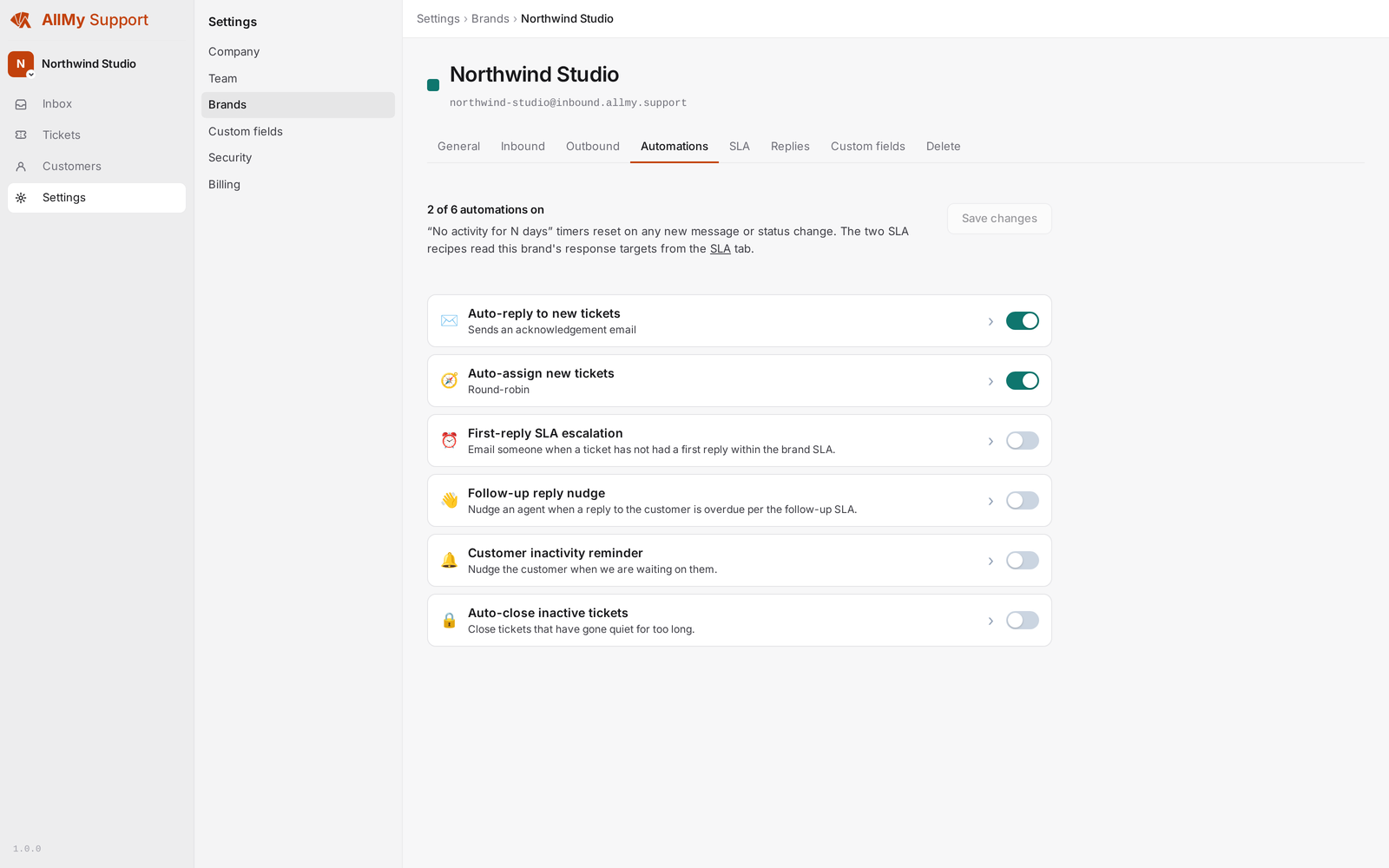
Automations
Auto-reply, auto-assign (round-robin, random, or sticky), SLA-breach escalation, stale-ticket nudges, customer inactivity check-ins, and auto-close.
Accounts and sign-in
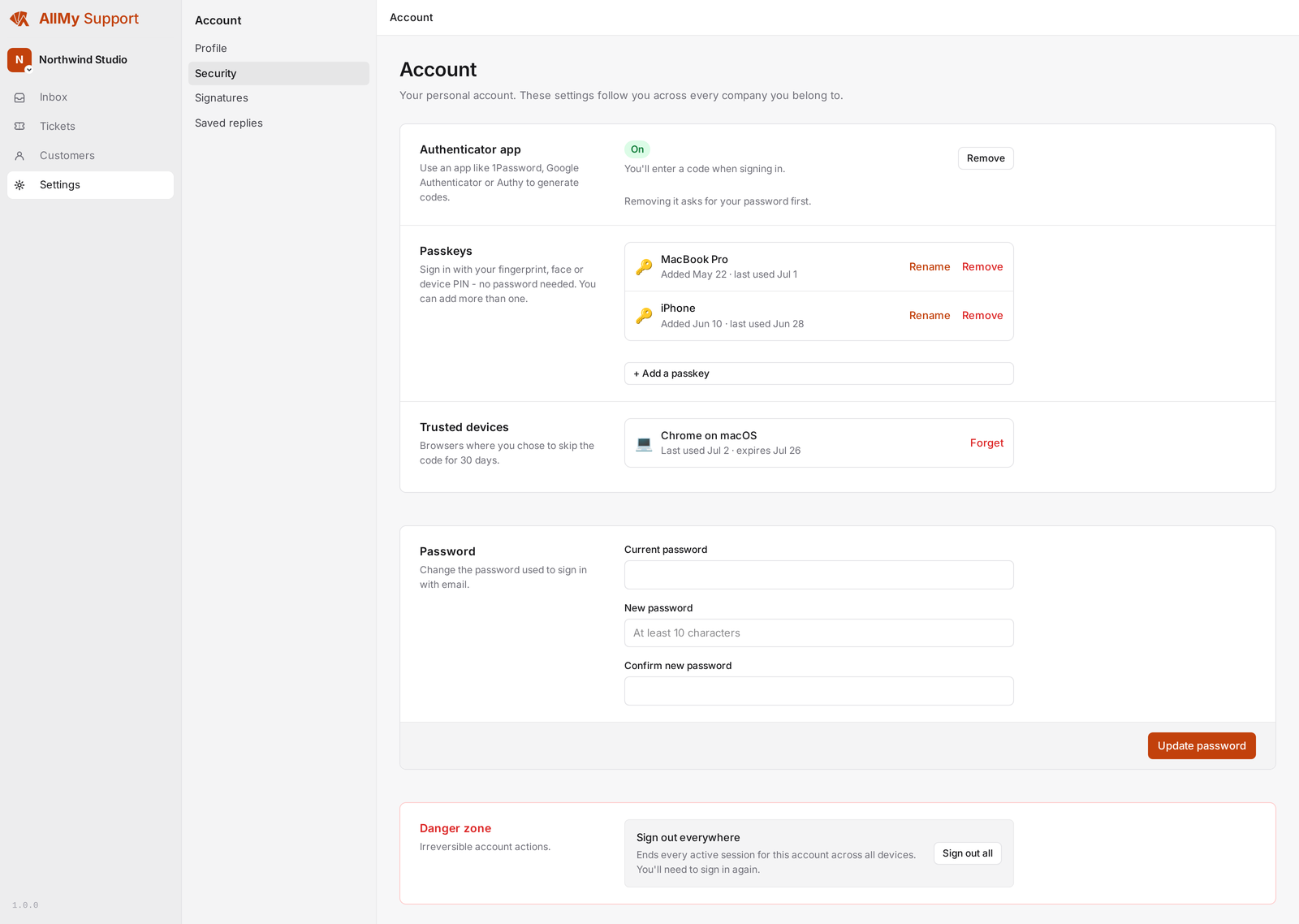
Secure access for your team, with passwords, passkeys, and two-factor built in. No add-on, no separate identity provider to wire up.
Email and password
Sign up and sign in with email and password. Change it any time in settings.
Passkeys
Sign in with a fingerprint, face, or device PIN, no password to type. Add one per device and name each so you know which is which.
Two-factor authentication
Turn on an authenticator app for a 6-digit code at sign-in. Works with 1Password, Google Authenticator, Authy, and others.
Trusted devices
Skip the code for 30 days on a browser you trust. Revoke any device from settings if you lose it.
Google sign-in
Connect a Google account to sign in without a password.
Admin and agent roles
The admin who created the workspace has billing access; agents handle support. Both reply to tickets.
Create-ticket API
Log a ticket from your own systems with a workspace API key. For simple integrations, not a full public API.
Knowledge base and public help site
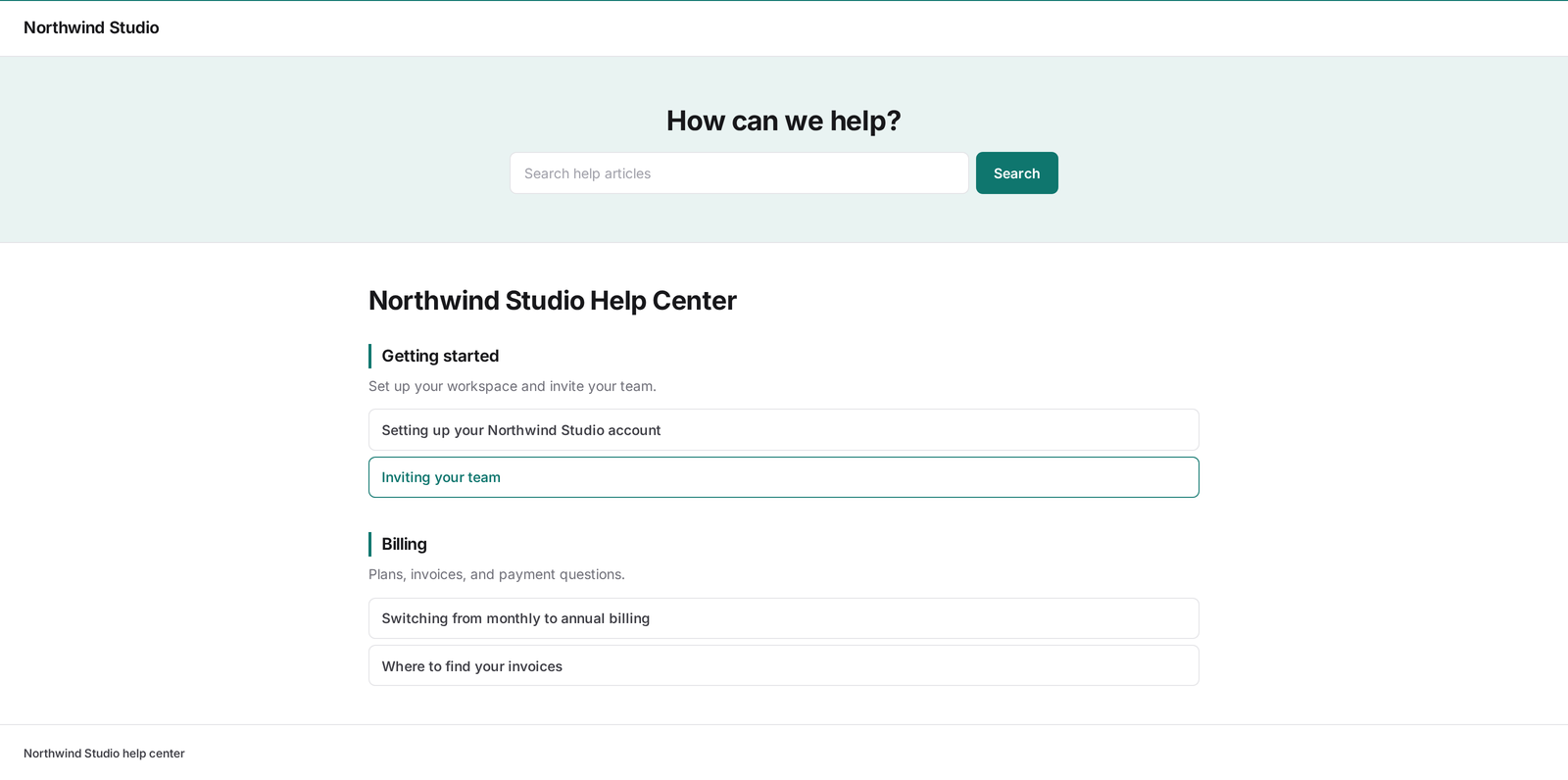
Write help articles once and publish them to a searchable help site for each brand, so customers can answer their own questions before they email you.
Per-brand articles
Each brand gets its own set of help articles, organised into categories and tags.
Rich editor with preview
Write and format articles in the app and preview them before they go live.
Public, searchable site
Published articles appear on a public help site your customers can search, with category, article, and contact pages.
Section anchors
Long articles get in-page section links, so you can point a customer straight to the right part.
Custom domain
Serve the help site on your own domain per brand, with TLS set up for you.
Import from Zendesk
Bring existing help-center articles across from Zendesk instead of retyping them.
Customer portal
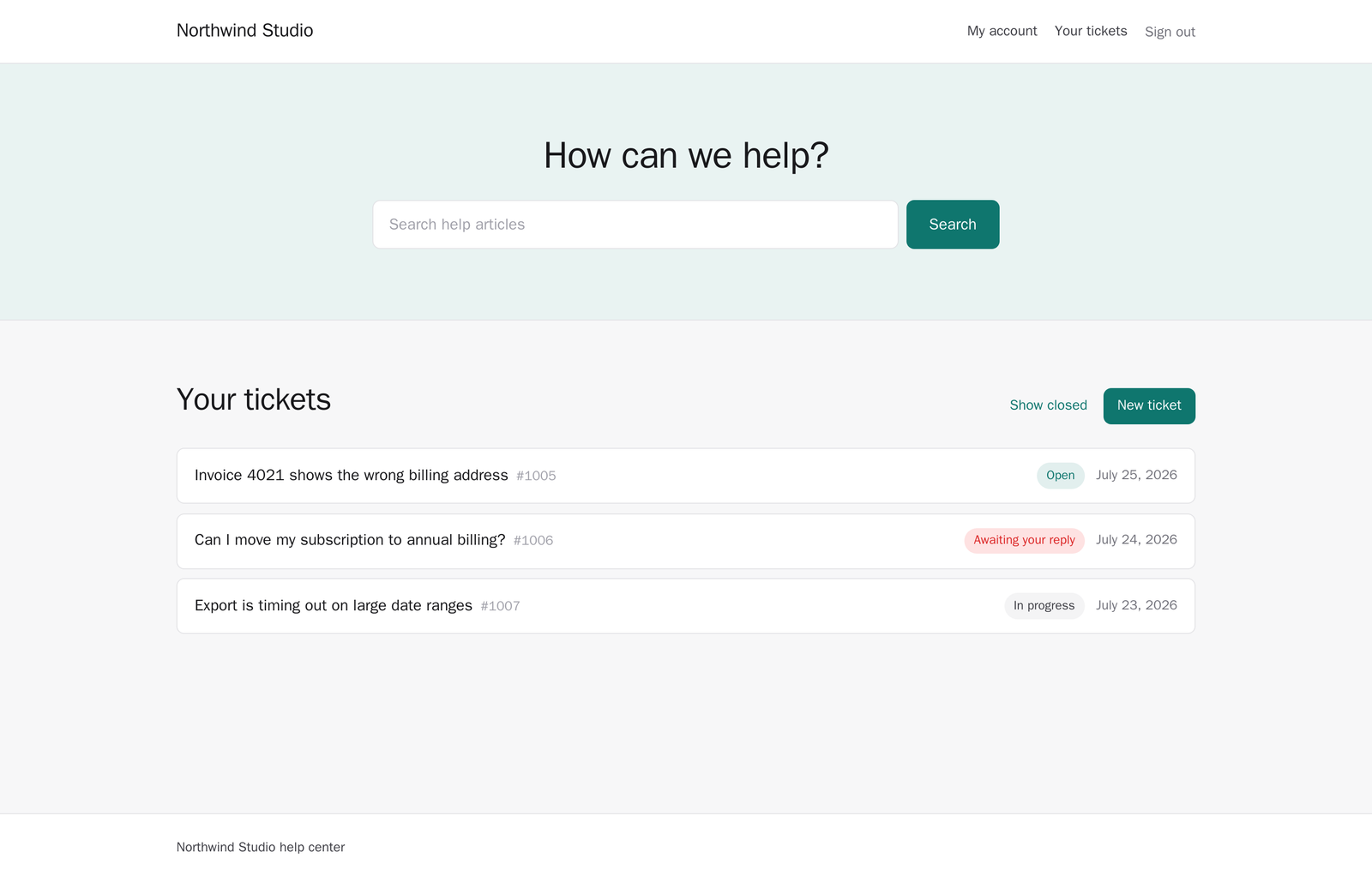
Let customers sign in to your help site to read and reply to their own tickets. It is off until you turn it on, per brand, and email keeps working exactly as it does now.
Off until you want it
One toggle per brand. The brand needs a sender identity first, because signing in means emailing the customer a link.
Three ways in, one email box
A link sent to their inbox, a password, or a passkey. The emailed link is the one every customer has, so nobody has to set anything up first.
No signup form
A sign-in link only goes to someone who already has a ticket with that brand. An address you have never heard from gets the same answer and no mail.
Their tickets, in plain words
Number, subject, last activity, and a status they can act on: Open, Awaiting your reply, In progress, or Closed. Closed tickets sit behind a filter.
Reply, or start a new one
A portal reply runs the same path as an emailed one. It reopens a closed ticket, restarts the SLA clock, and fires your automations and assignment notifications.
Email keeps working
Replies still arrive as full email and replying by email still works. We never send a customer a message telling them to click through to read it.
AI ticket summaries
Get a plain-language summary of a long ticket thread, so a teammate can take over without reading every message. Included in your plan, funded by a monthly credit allowance, not a paid add-on.

On-demand summaries
Summarise any ticket on demand to condense the whole thread into a few lines.
Automatic summaries
Long threads can be summarised for you, so the gist is there when you open the ticket.
Credit allowance included
Your plan includes a monthly AI credit allowance that scales with your team. No separate AI bill.
Balance in view
Your workspace credit balance is shown in the app, so there are no surprises.
Buy extra credits
Busy month? Buy credit packs in the app. Purchased credits carry over month to month until you use them.
Low-balance alert
Get an email when credits run low, so summaries never pause by surprise.
Satisfaction surveys
Ask customers how you did after a ticket is resolved, and see your rating across brands and agents.
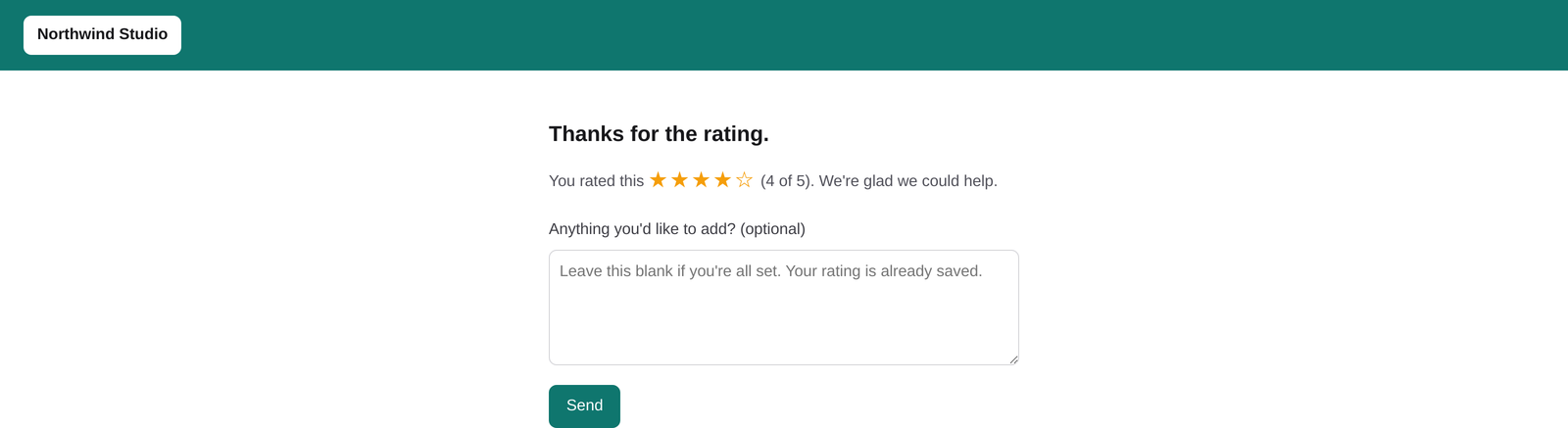
Post-resolution survey
A short one-to-five rating goes out automatically after a ticket is closed.
Send on a delay
Choose how long after closing the survey sends, per brand.
Branded email and landing
The survey email and rating page carry the brand's logo, not ours.
Rating in your reports
Average stars roll up into your reports, per brand and per agent.
Reporting and SLA
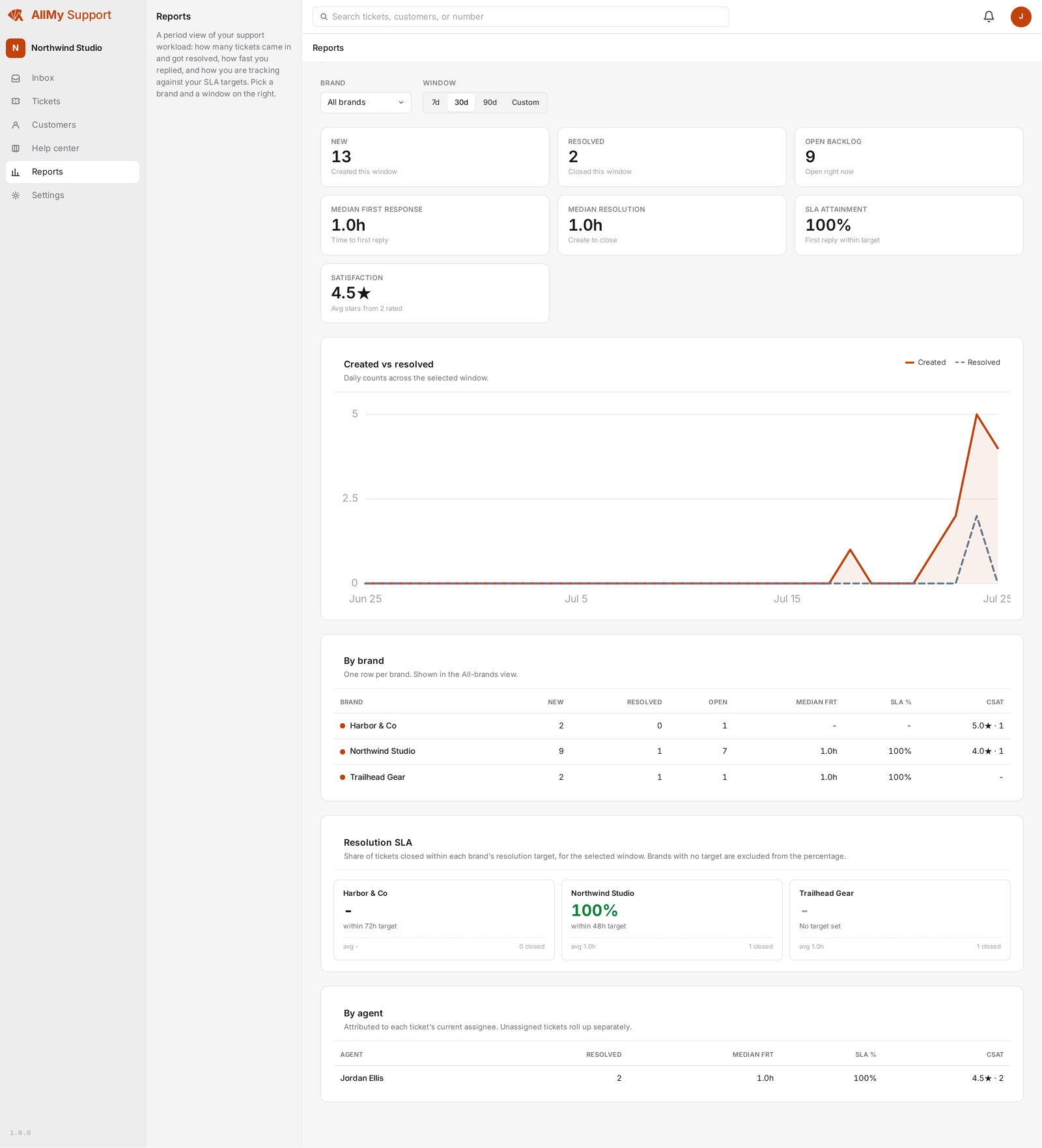
See how your team is doing without exporting anything. Reports cover volume, resolution, and satisfaction, and SLA clocks respect your working days.
Per-brand and per-agent
Ticket counts broken out by brand and by agent over a period you choose.
Resolution and CSAT
Resolution-target and average-satisfaction figures alongside the counts.
Business-days SLA
SLA clocks pause on weekends and public holidays, so a Friday ticket is not overdue on Monday morning.
Overdue queue
Tickets past their SLA target surface in the inbox so nothing slips.
Find anything, save your views
Search every ticket from the top bar, and save the filter combinations you use every day.
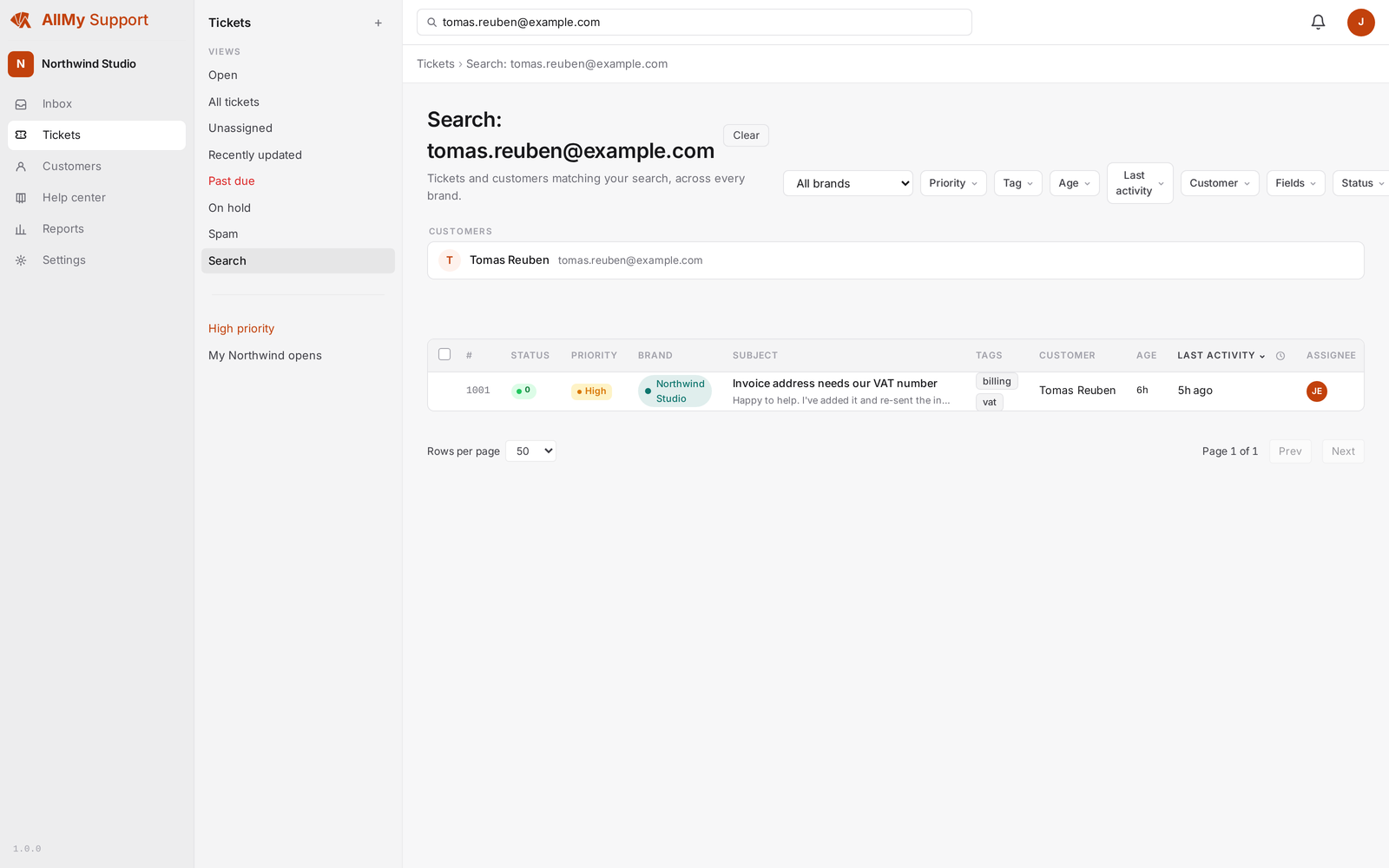
Full-text search
Search by ticket number, customer email, or a phrase, from a box in the top bar on any page.
Customer results too
Search surfaces matching customers alongside matching tickets.
Saved views
Save a filter combination as a named view you can jump back to. Keep it to yourself or share it with the team.
More filters
Filter the ticket list by age, last activity, and customer, on top of status, brand, and tag.
Work together safely
See when a teammate already has a ticket open, mention someone in an internal note, and get a notification when a ticket is assigned to you.
Switch workspaces
Belong to more than one workspace and switch between them from your account menu.
Import from Zendesk
Bring your ticket history, conversations, and contacts over in one run, with a preview before anything is written.