August 2026
How to Move from Xero to Desktop Accounting (2026)
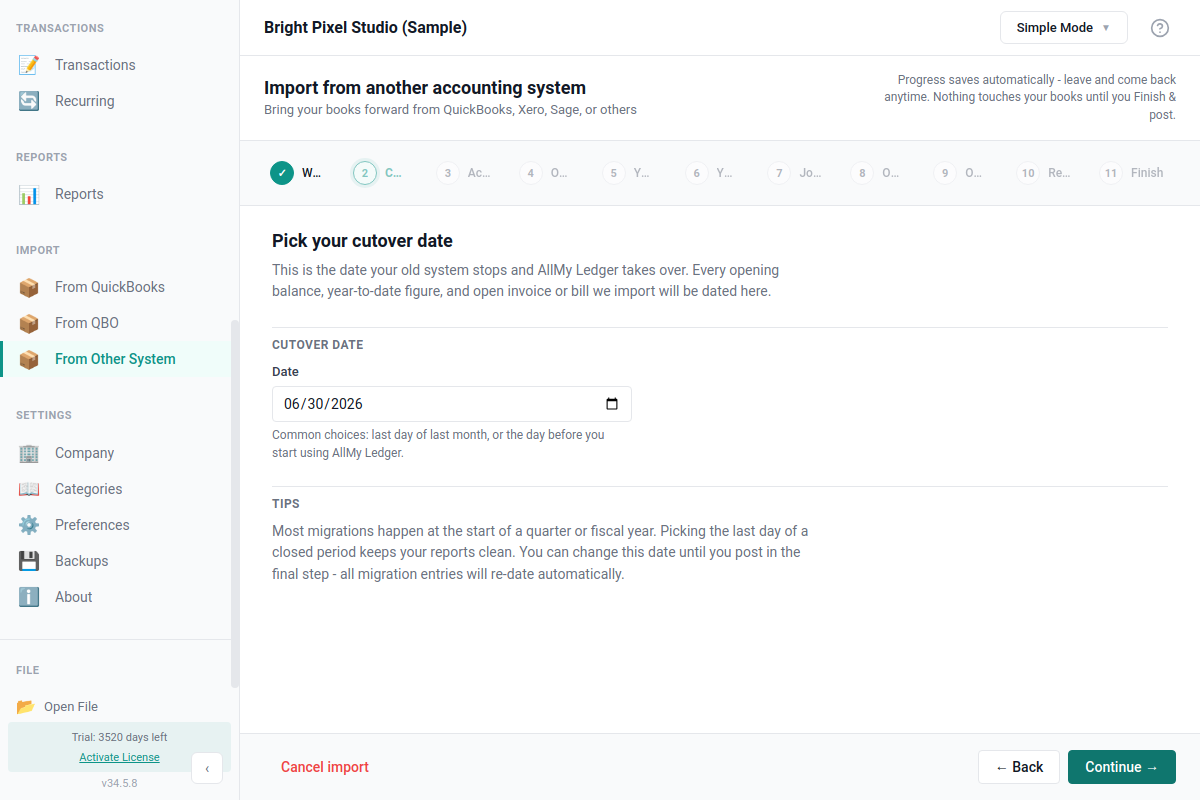
If you're moving off Xero because of the subscription, the annual price increases, or just wanting your books in a file you control, you don't have to type your books in from scratch. AllMy Ledger has an import wizard built for the move: it brings in your balances at a cutover date you choose, and it can bring in your history too.
What the migration actually does
It's not a transaction-by-transaction copy of your Xero file. It's a balances migration. You pick a cutover date, bring in your account balances as of that date, and AllMy Ledger takes over from there.
Everything before the cutover can come in too, but it arrives as journal entries, not as invoices with payment history. A March sale you invoiced in Xero shows up in your AllMy Ledger reports, but you won't find it as a clickable invoice with a payment attached to it. The exception is anything still open at the cutover: unpaid customer invoices and vendor bills come in through their own steps as real, payable invoices and bills, so payments apply normally after you switch. If you need that level of detail on the paid-off history later, Xero stays your archive for the pre-cutover period.
Two ways to switch
- Balances only. Enter your account balances at the cutover date and start posting new transactions from there. Enough on its own if you're switching at your fiscal year end, since everything before that already sits in your equity.
- Balances plus history. Also upload your year-to-date income and expense figures and a transaction journal, so this year's activity shows up in your reports without waiting for next January. Pick this one if you're switching mid-year and want a complete Profit & Loss right away.
Xero exports go in as they come out
The wizard detects when a file came from Xero and reshapes it. A single Xero Trial Balance export fills in both your opening balances and your year-to-date figures, and Xero's grouped aging and journal reports get flattened into the rows the wizard needs. A banner tells you what it detected, with an option to override it if it guessed wrong.
Upload the reports the way Xero exports them, CSV or XLSX, no reformatting first. The wizard doesn't need exact column headers. It finds the header row past any title or total lines and maps the columns itself. Anything it can't match, you fix by hand before moving on.
Ten steps, most of them optional
- Welcome, then the cutover date
- Trial balance, the one piece the wizard needs
- Year-to-date income and year-to-date expense
- A historical journal for pre-cutover activity
- Open invoices and open bills
- Review, then done
Every optional step can be skipped and added later. If a customer or vendor name doesn't match an existing contact, you can add it inline, or add every unmatched name at once instead of one at a time. Nothing posts until you confirm the review screen, and it goes in as a single balanced entry, all or nothing. Catch a mistake afterward and you can rerun the wizard to correct it instead of duplicating anything.
What doesn't come across
Better to know this going in than to find out after you've filed a return:
- Bank reconciliation history. Registers start unreconciled after the cutover.
- Inventory starting quantities.
- Sales tax opening detail at the line-item level.
- Payroll year-to-date figures.
- Attached documents and receipts.
AllMy Ledger itself has limits worth knowing before you commit too: no payroll, single user only, and invoicing that covers the basics without Xero's level of customization.
Check the numbers before you trust them
- Run a Balance Sheet as of the cutover date and compare the totals to Xero.
- Confirm your bank and credit card balances match your actual statements.
- If you brought in year-to-date figures, run a Profit & Loss and check that too.
The full import wizard walkthrough covers every step in more detail, and if you want the feature-and-price comparison first, see how AllMy Ledger stacks up against Xero. It's a one-time purchase, no subscription. There's a free 7-day trial, so you can point the wizard at your own Xero exports first and see what lands.