July 2026
How to Switch from QuickBooks Online to AllMy Ledger
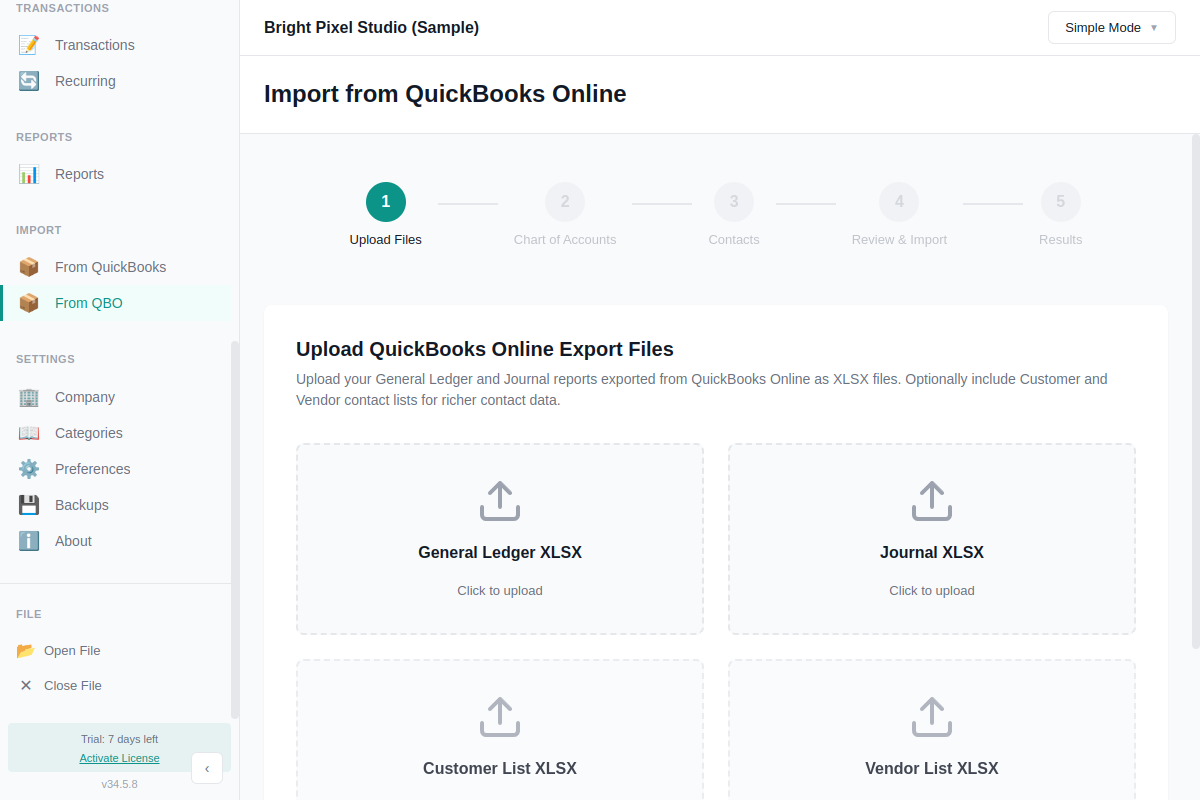
If you're reading this, you probably already know why you're here. Another price increase, a feature you used to get for free now behind a higher tier, or just the general feeling that your books live on Intuit's servers and not yours. Whatever the reason, switching from QuickBooks Online to desktop software is a reasonable move if you want your financial data in a file you control, and don't want to pay a subscription to open it.
Before you start, know what changes. AllMy Ledger doesn't have payroll. If you run payroll today, keep using a payroll service like Gusto alongside AllMy Ledger and post the entries from there. AllMy Ledger is single user, so it's built for a freelancer, consultant, or small business running their own books, not a team of bookkeepers working the same file at once. And there are no direct bank feeds. Instead of QBO pulling transactions automatically, you download an OFX or QFX file from your bank's website and import it. It's an extra step, but you're not handing your bank login to a third-party aggregator to get it.
With that out of the way, here's how the move actually works.
Start in QuickBooks Online. Export your standard reports, the ones covering your chart of accounts, customers and vendors, and transaction history. AllMy Ledger's importer reads the standard QBO report layout as an XLSX file, so export in that format rather than PDF or CSV.
Then open AllMy Ledger and run the QuickBooks Online migration wizard. Point it at the XLSX files you exported. It brings over your accounts, your contacts, and your transaction history, so you're not starting from a blank chart of accounts.
Once the import finishes, verify it. Run a Balance Sheet and a Profit & Loss in AllMy Ledger and compare the totals to the same reports in QBO. Check that your bank account balances match what you see on your actual bank statements. If something's off, it's usually easier to catch and fix it right after the import than three months later.
For ongoing bank reconciliation after the switch, AllMy Ledger imports transactions from OFX, QFX, or QBO files you download from your bank, not CSV, and not through a third-party service connecting to your bank on your behalf. Most banks offer one of these formats from their website, usually in the same place you'd download a statement.
If you want to see how AllMy Ledger stacks up against QuickBooks Online on price and features before you commit, there's a side-by-side comparison. And if you'd rather read about why someone else made this same move, here's the story of one founder who did.
AllMy Ledger is a one-time purchase. No subscription, no recurring bill for software you already own. You can try it free for 7 days and run the QBO import yourself before deciding.